
Reference

Explore What MCW News Is Built On

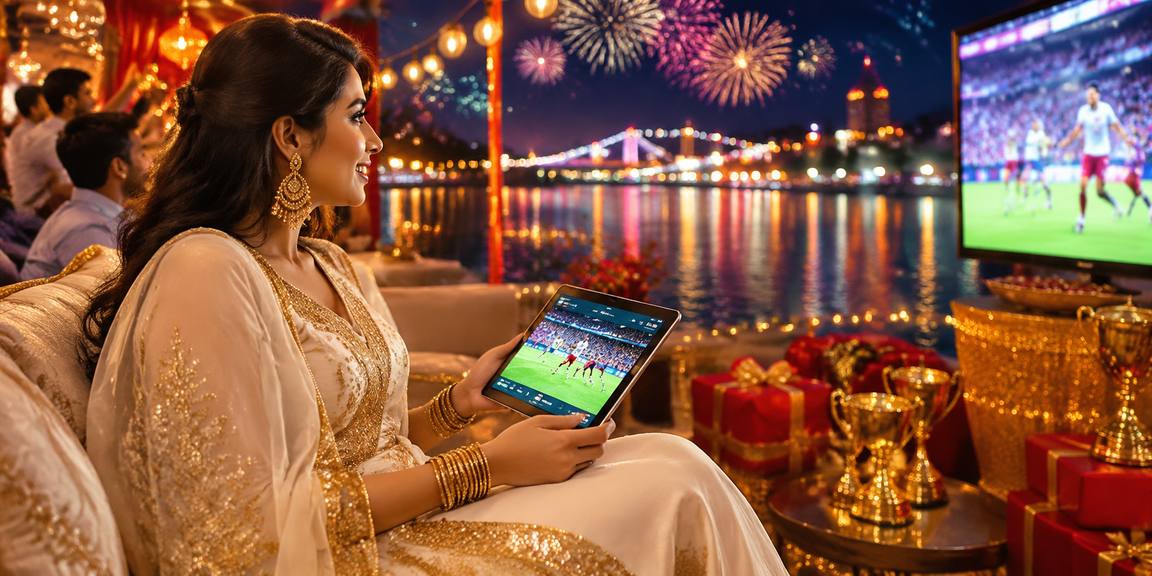
MCW News is an account-first platform shaped around the way Bangladesh plays — local wallet deposits via bKash, Nagad, and Rocket, a lobby that covers live casino, slots, and cricket-led sports betting, and support that actually responds.

bKash DepositsNagad TransfersRocket PaymentsLive Casino AccessMobile Account
MCW News Explore What MCW News Is Built On
ACCOUNT HELP PATHS

Open a Support Channel That Works for You

Account questions — deposits that haven't cleared, withdrawal verification, wallet mismatches — are handled through three direct channels. We keep the contact paths short so you're not bouncing between forms and wait screens.

Team online

Live Chat

Reach the account team directly through the live chat button in your logged-in dashboard. For wallet issues like a bKash send that hasn't posted, this is the fastest path.

Email Support

Send account or withdrawal queries to our support address. Include your registered mobile number and the wallet type — Nagad, Rocket, or bKash — so the team can pull your transaction quickly.

Mobile Account Access

Your account dashboard is fully accessible from your phone browser. Check balance, initiate a Rocket withdrawal, or update your wallet details without switching to a desktop.

See What's Inside the Platform

A few structural facts about how MCW News is set up — the payment methods available, the game categories in the lobby, and how your account is kept secure across devices.

Local payment methods — bKash, Nagad, Rocket3
Game categories — live casino, slots, sportsbook, table games4
Encrypted account and wallet connectionsSSL
Full lobby access on browser and mobileWeb + Mobile
MCW News Browse How Your Account Works Here

Browse How Your Account Works Here

When you open an account with MCW News, your wallet connects directly to the payment rails you already use. Deposit via bKash by opening the app, sending to the number shown in your account cashier, and confirming with your PIN — the credit appears without leaving the platform. Nagad and Rocket follow the same flow. Withdrawals go through a short wallet verification

step: we match the mobile number on file to your registered account before releasing funds, which keeps your balance secure. The lobby pulls together live casino tables streamed by Evolution and Pragmatic Play, slots including Crash Pulse and Gates of Olympus, and a sportsbook where cricket — IPL, BPL, and international fixtures — sits at the front of the markets list. Everything

runs in one place, whether you're on a desktop browser or your phone. Players in Dhaka and beyond reach the same full lobby through mobile access without needing a separate app download.

  • bKash
  • Nagad
  • Rocket
  • Mobile Access
WHY THIS PLATFORM HOLDS UP

Check the Signals That Matter on Your Account

We built MCW News around a few non-negotiable account standards — encrypted connections, verified wallet matching, and a lobby that surfaces real game information rather than inflated claims. These aren't marketing points; they're how your account behaves every session.

Wallet Verification on Withdrawals

Before any withdrawal clears, we match your registered mobile number to the wallet you're sending to — bKash, Nagad, or Rocket. It adds one step and removes a category of fraud.

SSL-Encrypted Sessions

Every login, deposit, and account update runs over an SSL-encrypted connection. Your payment details and session data stay between you and the platform — no exceptions.

Honest Game Information

RTP figures are shown only where the game provider or studio publishes them. We don't invent percentages. For titles like Crash Pulse, the mechanic is visible in the game interface itself.

Local Payment, No Workarounds

bKash, Nagad, and Rocket are native to the cashier — not a third-party redirect. You send from your wallet app to the account number we display, and the credit posts to your MCW News balance directly.

Get Answers About How MCW News Works

These are the questions we hear most from accounts in Bangladesh — about deposits, withdrawals, wallet setup, and what's in the lobby. If yours isn't here, live chat is the quickest way to get a direct answer.

Deposits work via bKash, Nagad, and Rocket. Open your preferred wallet app, send to the account number shown in your cashier, confirm with your PIN, and the balance updates in your MCW News account.

When you request a withdrawal, we verify that the mobile number registered to your account matches the wallet you're withdrawing to. This step is required for bKash, Nagad, and Rocket transfers and protects your funds.

Yes — the full lobby including live casino tables, slots like Crash Pulse, and the sportsbook loads on your mobile browser. No separate app download is needed for Bangladesh mobile access.

The lobby covers live casino tables from Evolution and Pragmatic Play, slots, crash games, table games, and a sportsbook with cricket markets — including BPL and international fixtures — at the front of the list.

RTP figures appear in the game interface only where the studio or provider publishes them. We don't display invented percentages. If a title like Gates of Olympus shows an RTP, it comes from Pragmatic Play directly.

Access depends on your local law and eligible regions. We've built the platform around Bangladesh payment rails — bKash, Nagad, Rocket — but you should check that access is permitted under the rules that apply to you.
Reference

About Us

Service availability depends on eligible regions and local law. Users should check local rules before opening an account.

Access may be available only where local law permits.